AI superpowers for Google Sheets™
Transform your spreadsheets with AI-powered custom functions and an intelligent chat assistant. Classify, translate, analyze, and generate data, all from your cells.
See It in Action
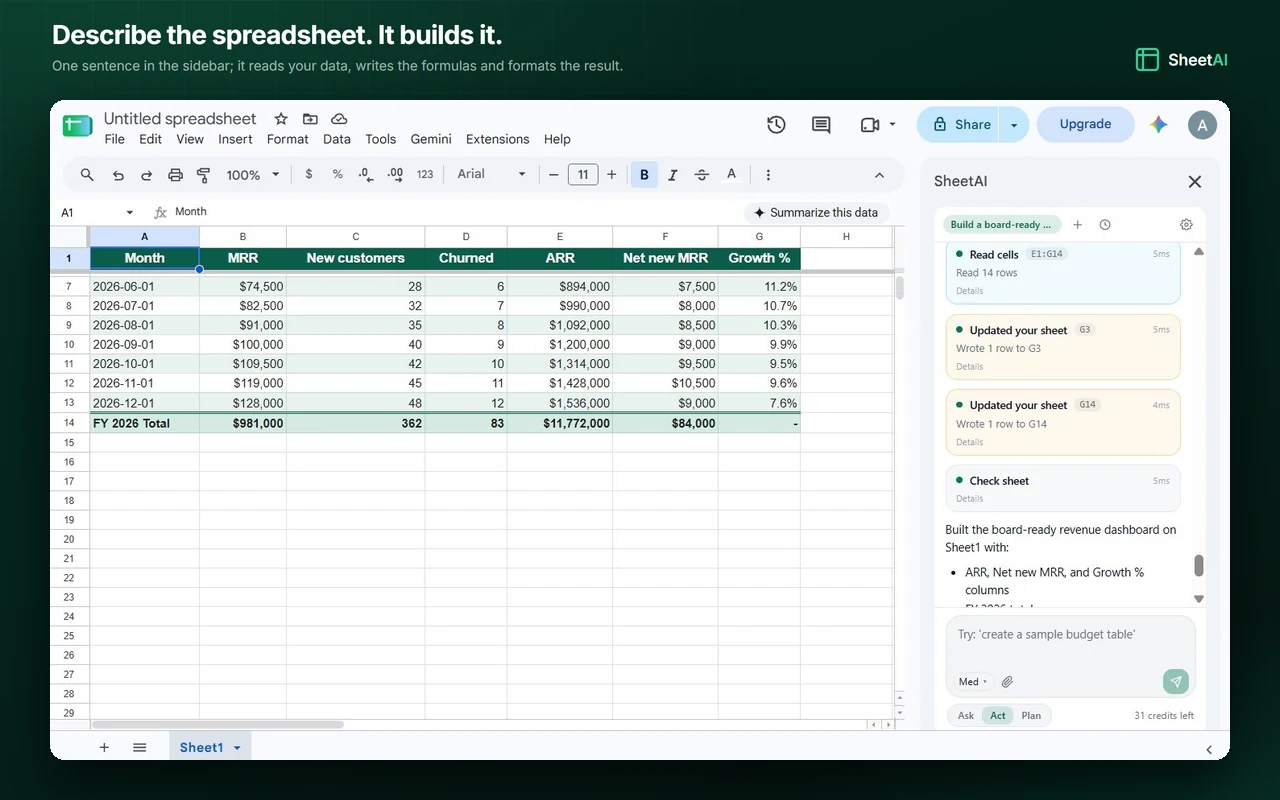
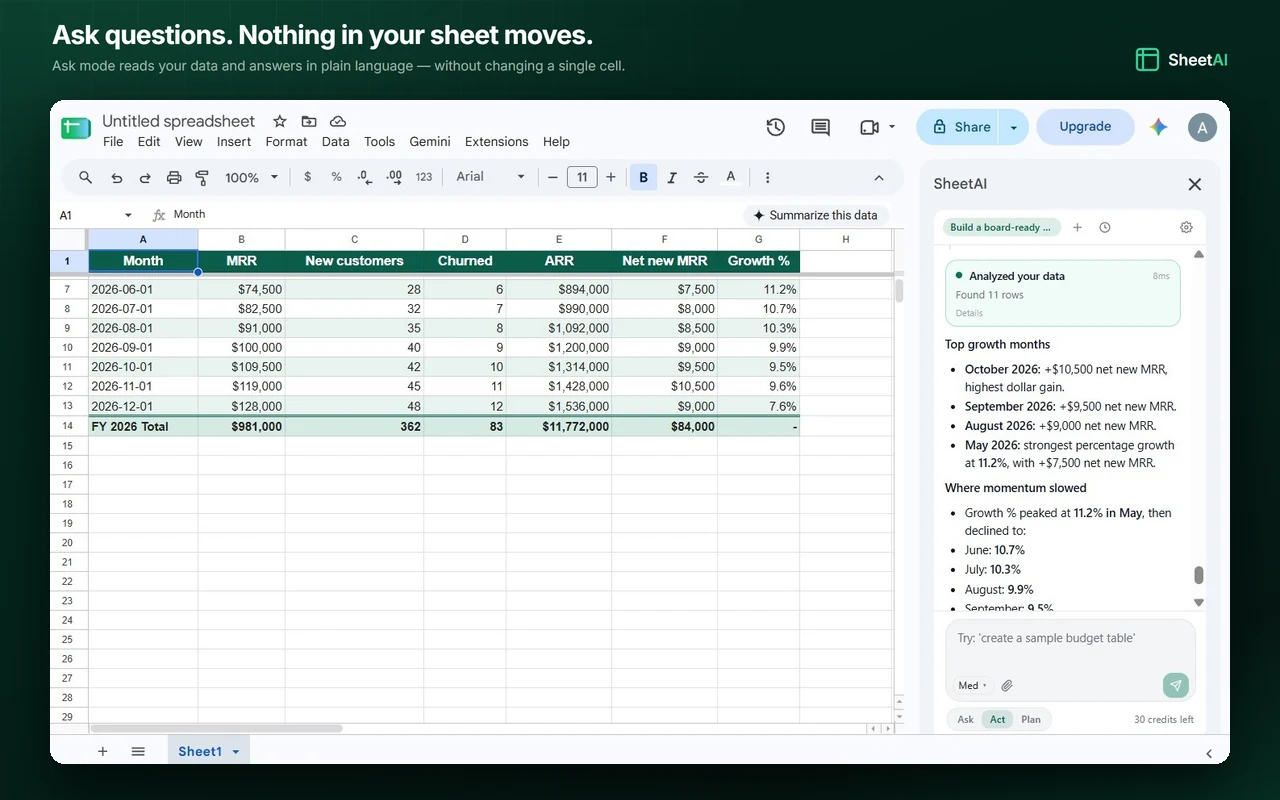
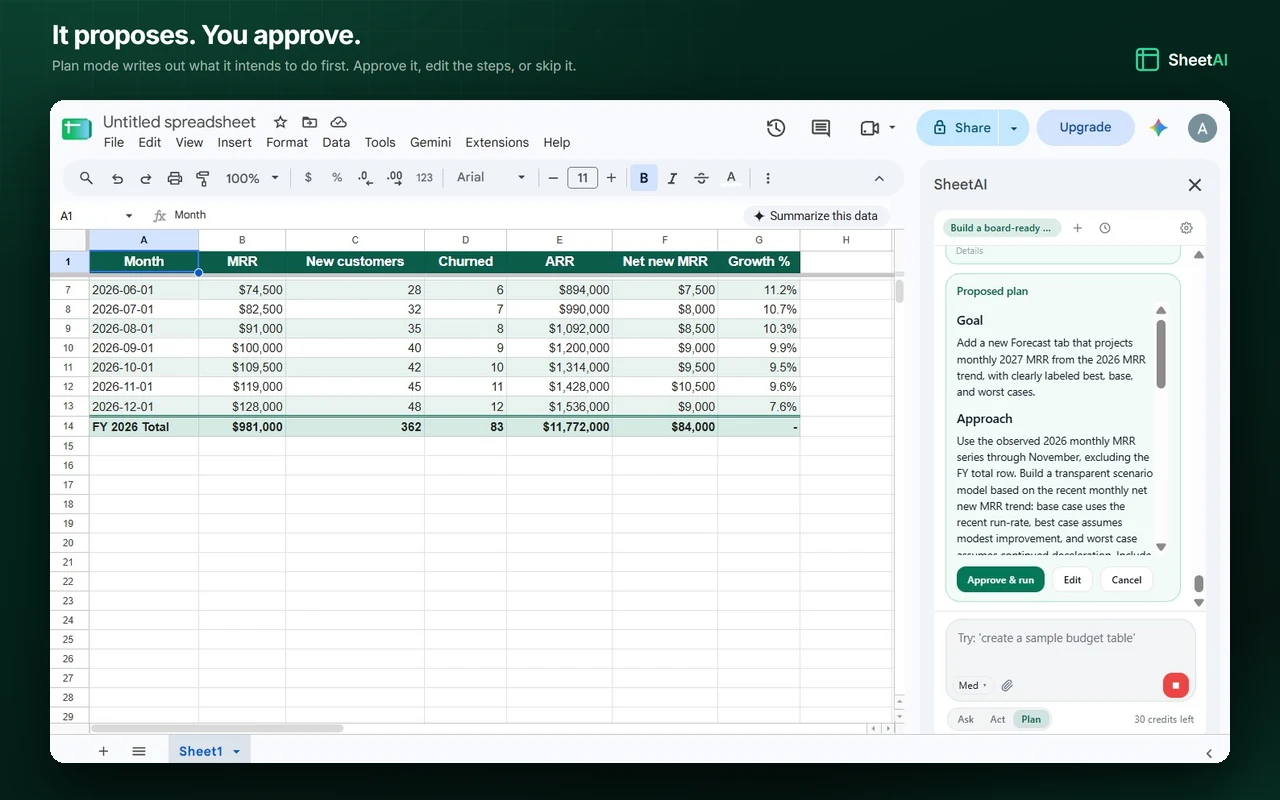
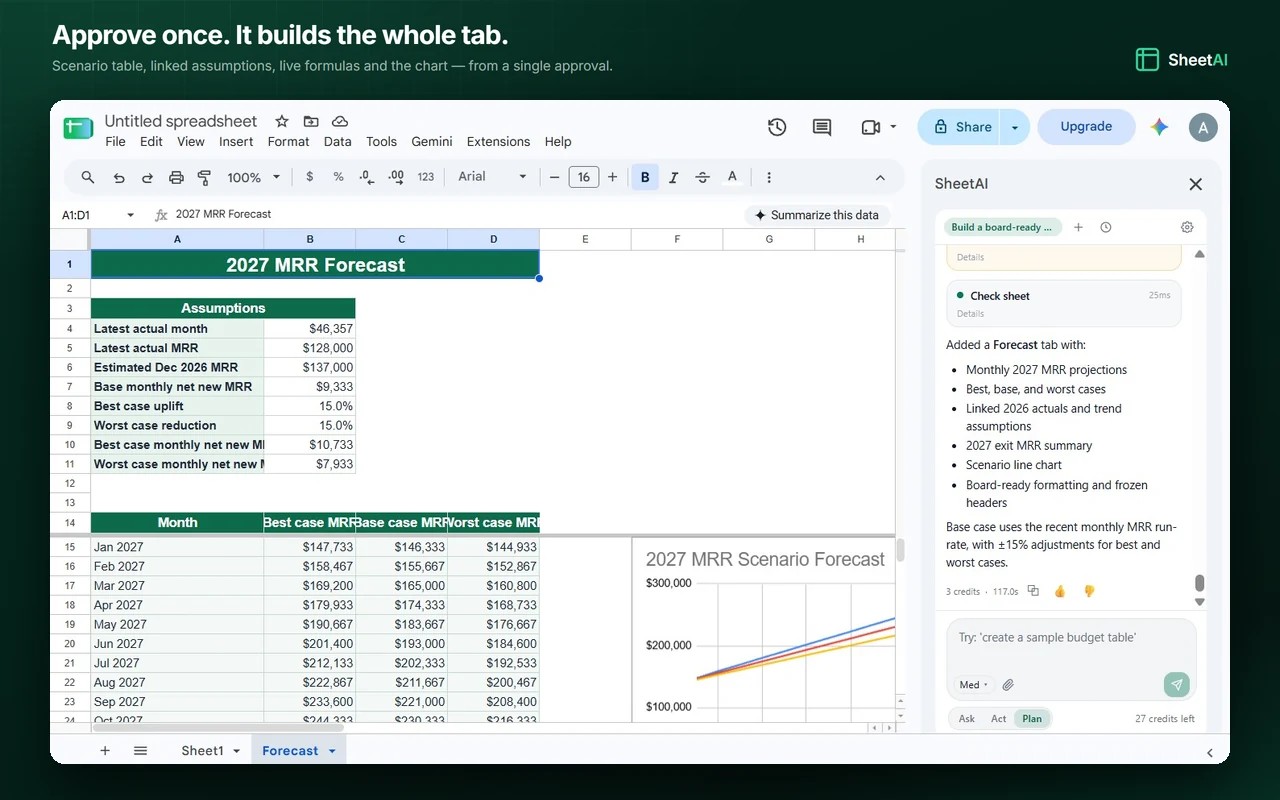
Real screenshots of the add-on working inside Google Sheets™, from a one-line prompt to a finished forecast tab.
Everything You Need
A complete AI toolkit that lives inside your spreadsheets.
AI Custom Functions
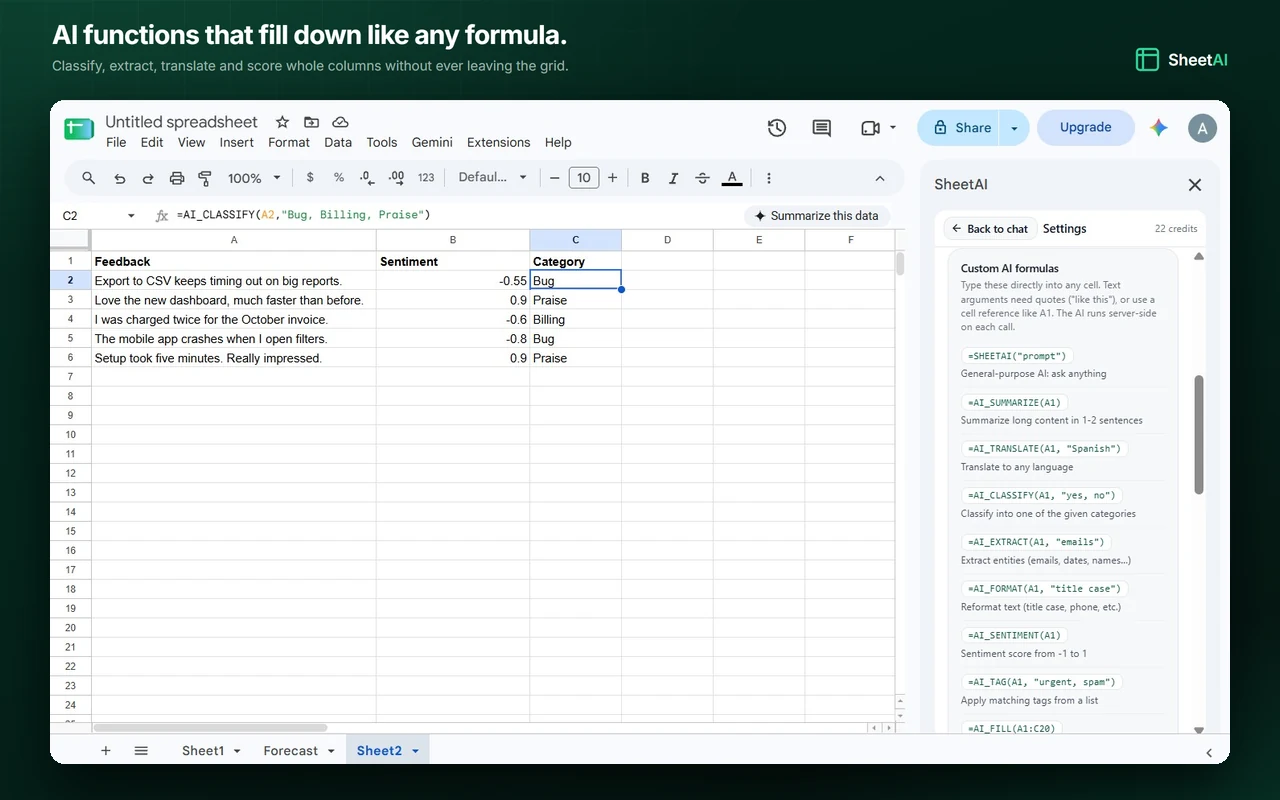
Type formulas like =SHEETAI("summarize this") directly in your cells. 12 specialized functions for classification, extraction, translation, sentiment analysis, and more.
Intelligent Chat Sidebar
Ask questions about your data, generate formulas, create charts, and automate tasks through natural language, all without leaving Google Sheets™.
Smart Data Analysis
Get instant insights, detect patterns, find outliers, and run statistical analysis on your data with a single prompt.
Automated Data Cleaning
Remove duplicates, fix formatting, standardize entries, and clean messy data automatically using AI.
Adjustable Thinking Depth
Dial the AI's reasoning up for complex analysis or down for fast edits. Control the speed-vs-depth tradeoff right from the sidebar.
Connected Apps, Skills and @ Mentions
Apps you connect on sheetai.co (Notion, HubSpot, Stripe, Airtable, Jira and more) are available in the sidebar, so the AI can pull their data into your Sheet. Type / to run a skill such as /analyze or /clean, and @ to point at a tab or a connected app.
Works with Collaboration
The add-on runs inside Google Sheets™, so Google's own sharing and co-editing are untouched. Each collaborator who wants to use the AI signs in to their own SheetAI account.
12 AI Functions at Your Fingertips
Type a formula, get AI-powered results. It's that simple.
=SHEETAI(prompt)General-purpose AI: ask anything, get answers in your cells=AI_CLASSIFY(text, categories)Classify text into predefined categories automatically=AI_EXTRACT(text, what)Extract emails, names, dates, or any entities from text=AI_TRANSLATE(text, language)Translate text to any language instantly=AI_SUMMARIZE(text)Condense long content into concise summaries=AI_FORMAT(text, format)Reformat, clean, and standardize text automatically=AI_FORMULA(description)Describe what you need and get the exact formula=AI_SENTIMENT(text)Analyze sentiment: positive, negative, or neutral=AI_FILL(range)Intelligently fill data based on detected patterns=AI_TAG(text, tags)Auto-tag content with relevant labels=AI_LIST(prompt)Generate vertical lists from any prompt=EXPLAIN_FORMULA(formula)Explain what any formula does in plain EnglishHow to Install SheetAI in Google Sheets™
Four steps, about a minute, and nothing to download.
Install from the Marketplace
Open the SheetAI listing on the Google Workspace™ Marketplace and click Install. Nothing to download and nothing to configure.
Approve the permissions
Google asks you to allow the add-on to work with your spreadsheet and connect to sheetai.co. It only ever reads the sheet you have open.
Open it from Extensions
In any spreadsheet, go to Extensions → SheetAI.co — AI Spreadsheet Assistant → Open SheetAI. The assistant opens in a sidebar on the right.
Or just type a formula
The AI functions work the moment the add-on is installed, no sidebar needed. Type =SHEETAI("summarize this") in any cell and fill it down.
Free to install. Already installed? Open any spreadsheet and look under Extensions.
Frequently Asked Questions
Ready to supercharge your spreadsheets?
Join thousands of users who are already using AI to transform their Google Sheets™ workflow.
Works in your browser and Google Sheets · Setup in 30 seconds
Google Sheets™ and Google Workspace™ are trademarks of Google LLC. SheetAI is not affiliated with or endorsed by Google.