Every accountant, bookkeeper and small business owner knows this job. The bank gives you a PDF. Your accounting software, your budget or your accountant wants a spreadsheet. In between there's an hour of copying, pasting, splitting columns and retyping the numbers that pasted as text.
We wanted to see how much of that hour an AI could take away, and how you'd know whether to trust what it gave you. So we took a two-page business bank statement for September (37 transactions, card payments, direct debits, a payroll run and a dozen incoming invoice payments), attached it to SheetAI, and asked for a table. Then we printed it, scanned it, and did it again with the scan. Every screenshot below is from that session.
Why copying out of a PDF goes wrong
A PDF isn't a table. It's a set of instructions for drawing text at positions on a page. The columns you can see are an illusion created by spacing, and the moment you copy the text out, the spreadsheet has to guess where one column ends and the next begins.
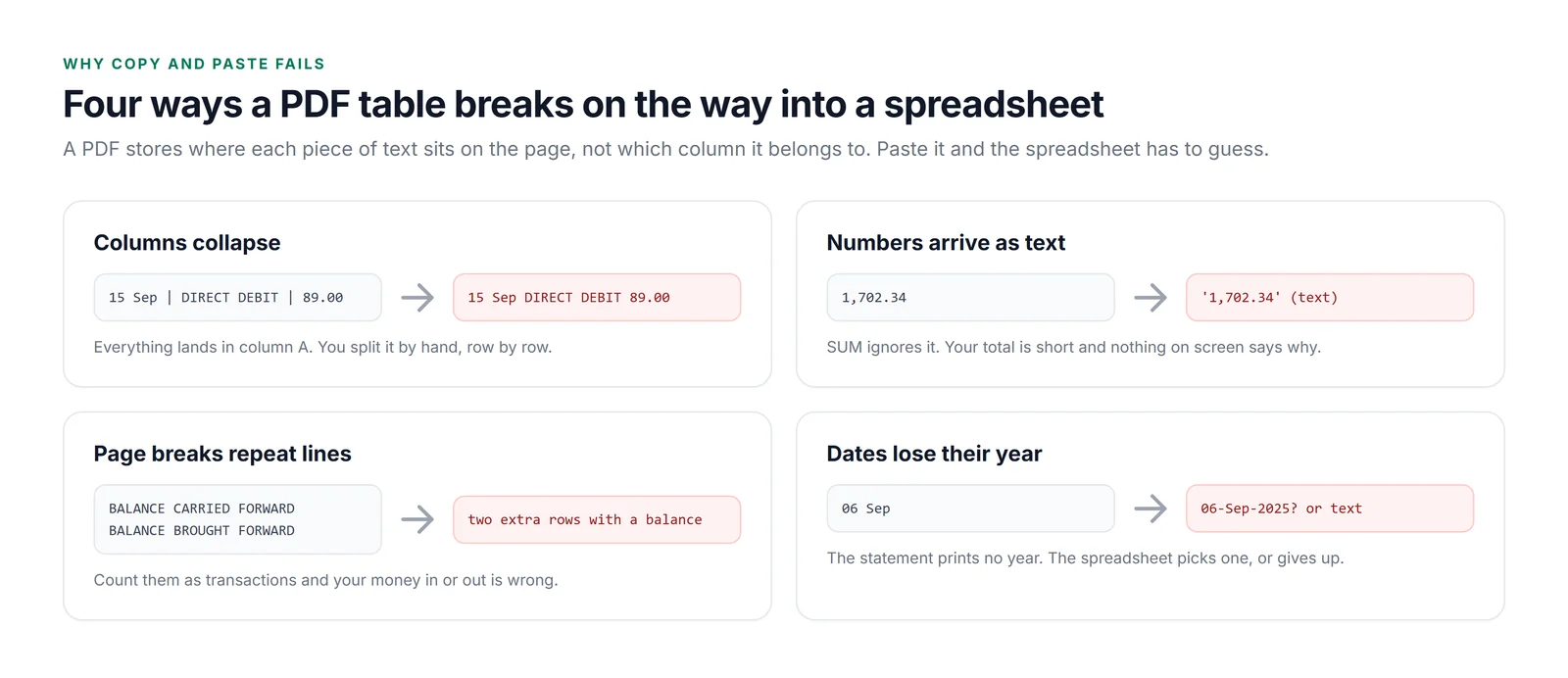
The page-break lines deserve a special mention. A statement that runs over two pages ends page one with BALANCE CARRIED FORWARD and starts page two with BALANCE BROUGHT FORWARD. They carry a balance, they sit in the transaction list, and if you count them as transactions your totals are wrong in a way that looks plausible.
Step 1: Attach the PDF and describe the table you want
Open a blank sheet in the web app, click the paperclip under the chat box, and pick the PDF. It doesn't go into the grid. It sits next to the conversation as something the AI can read. Then say what you want in the grid:
Turn this bank statement into a table on this sheet: Date, Description, Type (card payment, direct debit and so on), Paid out, Paid in, Balance. Real dates and numbers, not text. Leave out the brought forward and carried forward lines. Then check it: opening balance plus money in minus money out should equal the closing balance, and every row's balance should follow from the row above.
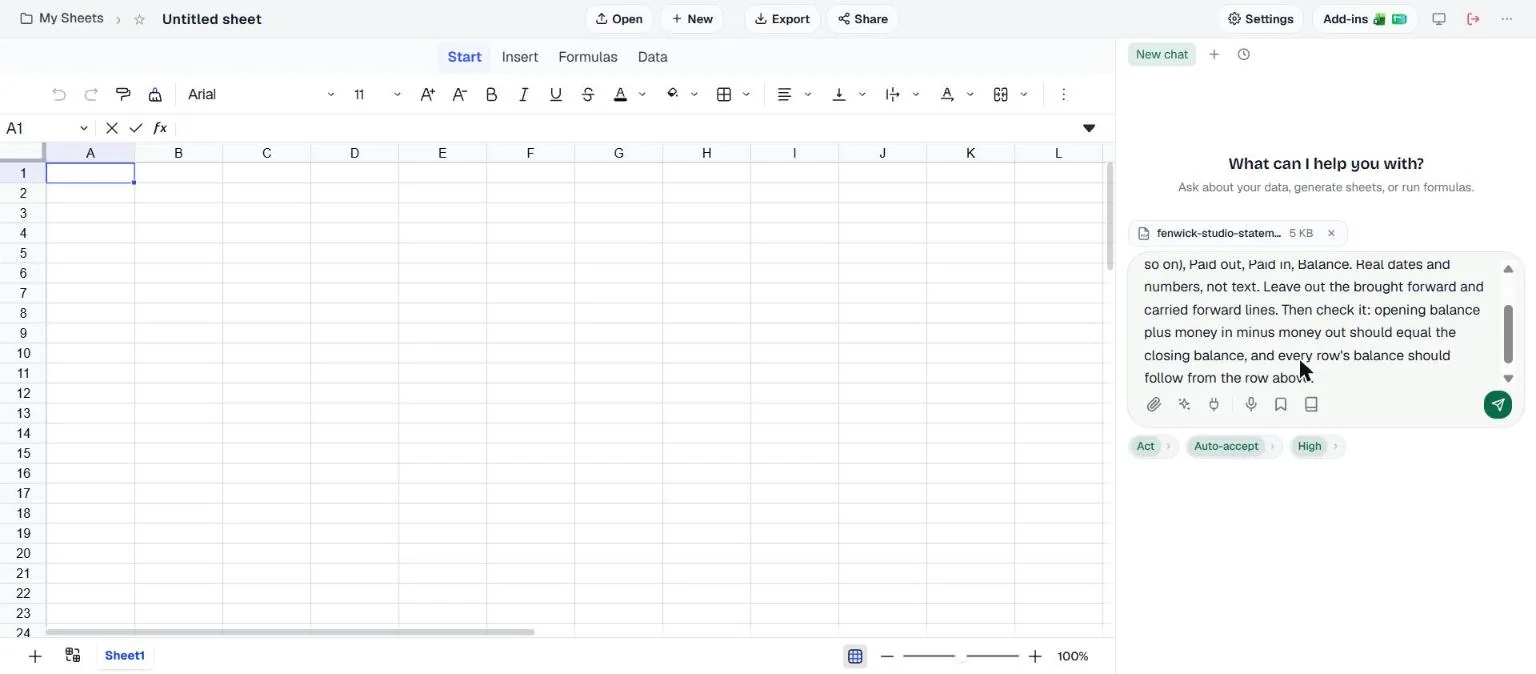
Every sentence in that prompt is there for a reason. Naming the columns means you get your structure, not the bank's. "Real dates and numbers" prevents the text problem. Excluding the forward lines handles the page break. And the last sentence asks it to prove its own work, which matters more than anything else in this post.
Step 2: Read what came back
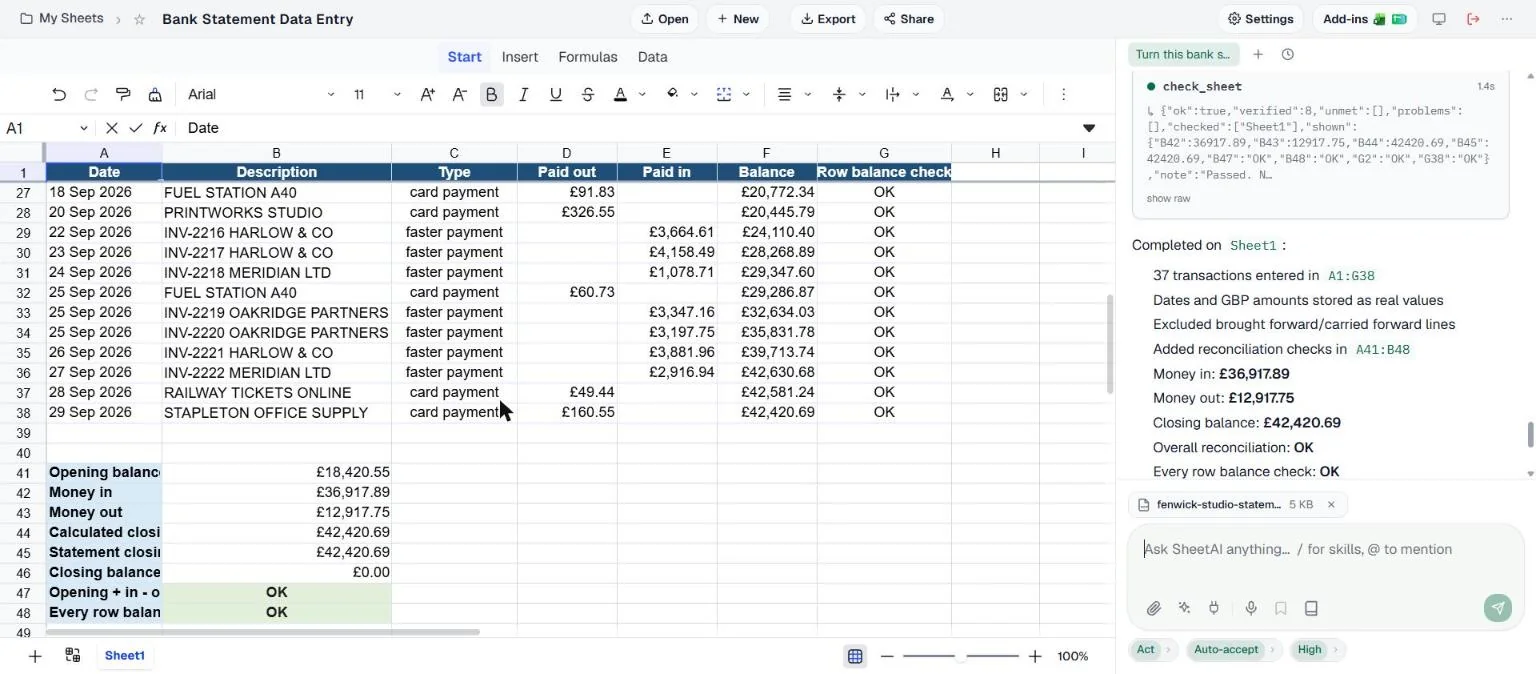
It took a minute and a half and cost 7 credits.
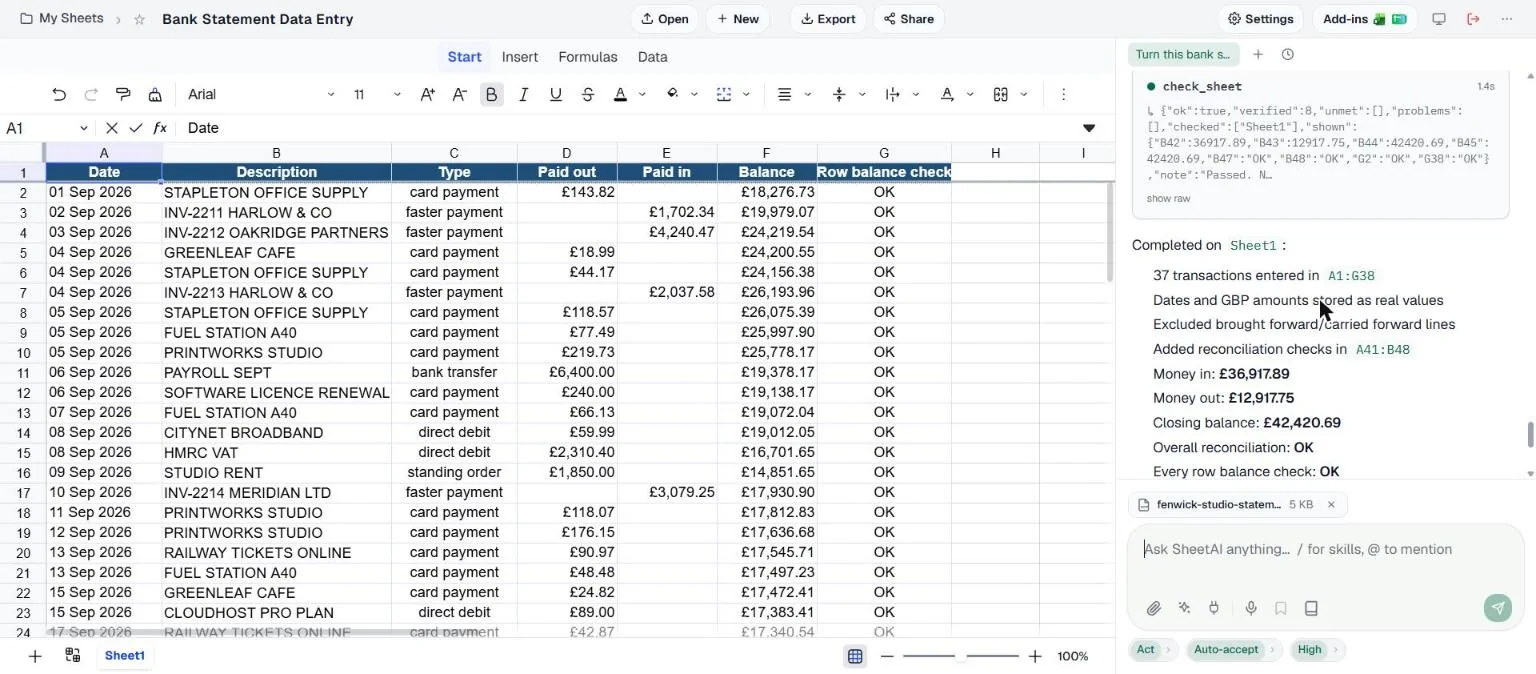
A few things it did without being asked twice. It split the bank's description ("CARD PAYMENT STAPLETON OFFICE SUPPLY") into a Type and a Description, which is what makes the table sortable. It added the year the statement didn't print. And the amounts are real numbers in pounds, which you can see because they're right-aligned and formatted, not left-aligned text.
Step 3: Check it the way the bank does
This is the part to remember even if you never use AI for it. You don't have to compare the table with the PDF line by line, because a bank statement has three checks built into it.
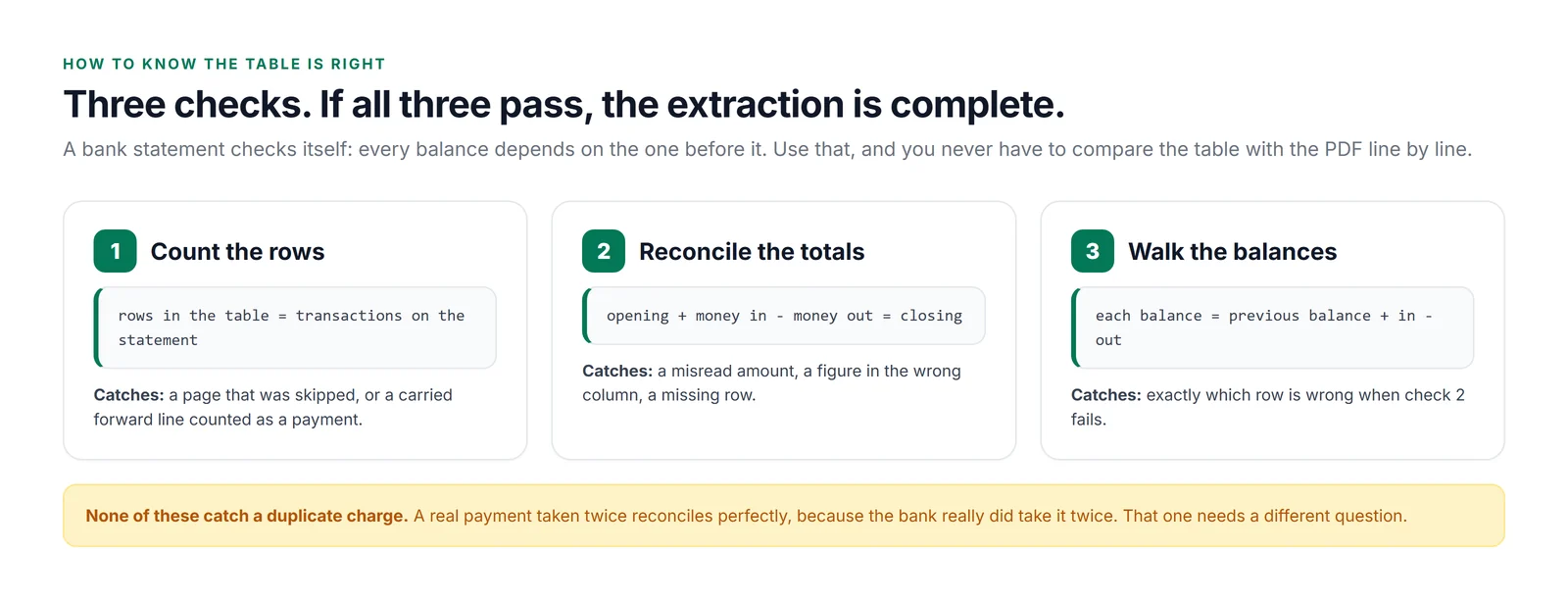
Because we asked for it, SheetAI built checks 2 and 3 into the sheet as formulas rather than just telling us they passed: a small reconciliation block under the table, and a check on every row.
Step 4: Ask what a person would ask
The checks prove the table matches the statement. They can't tell you whether the statement itself has a problem. A direct debit taken twice reconciles perfectly, because the money really did leave the account twice. So we switched to Ask mode, which reads and answers without changing anything, and asked:
Anything on this statement I should query with the bank or a supplier? Look for duplicate charges, odd amounts, anything that doesn't fit the pattern. Point me at the rows.
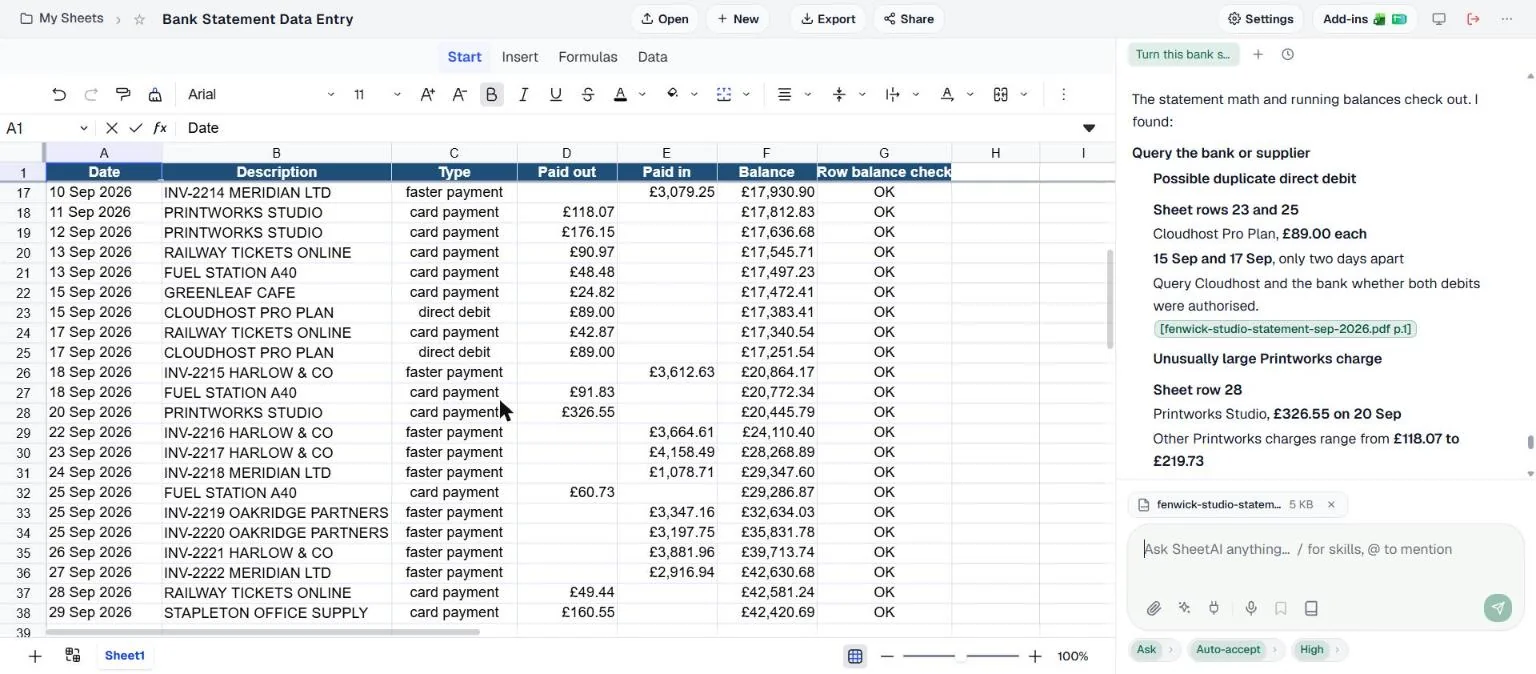
It found the double Cloudhost charge, which we had planted, and pointed at the exact rows. It also flagged a £326.55 Printworks charge as larger than the business's other Printworks payments (£118 to £220), and two Oakridge payments on the same day. It didn't overstate those: it noted they had different invoice numbers and so weren't duplicates on the statement. That answer took 27 seconds and 3 credits.
Is the Printworks charge a problem? Probably not, as a print shop sends a big invoice now and then. But that's the right kind of flag: unusual, explained, left for a person to decide.
What about a scanned statement?
Lots of statements and invoices only exist on paper, or as a scan someone emailed you. Those PDFs have no text in them at all, just a picture of a page, so there's nothing to copy. To test this we turned our statement into a scanned PDF (images only, slightly tilted and grainy, like a real office scanner) and started again on a fresh sheet.
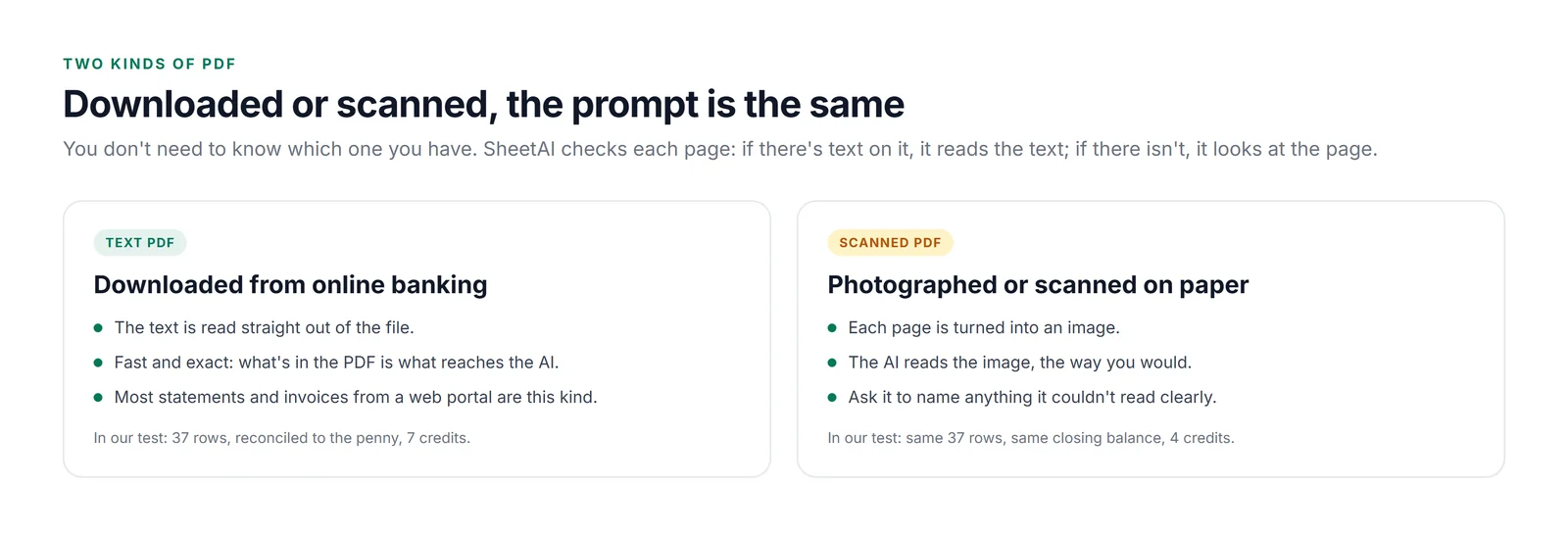
The prompt was the same, with one sentence added at the end: "Tell me any value you couldn't read clearly." It's a good habit on any scan, because it asks the AI to flag anything worth a second look.
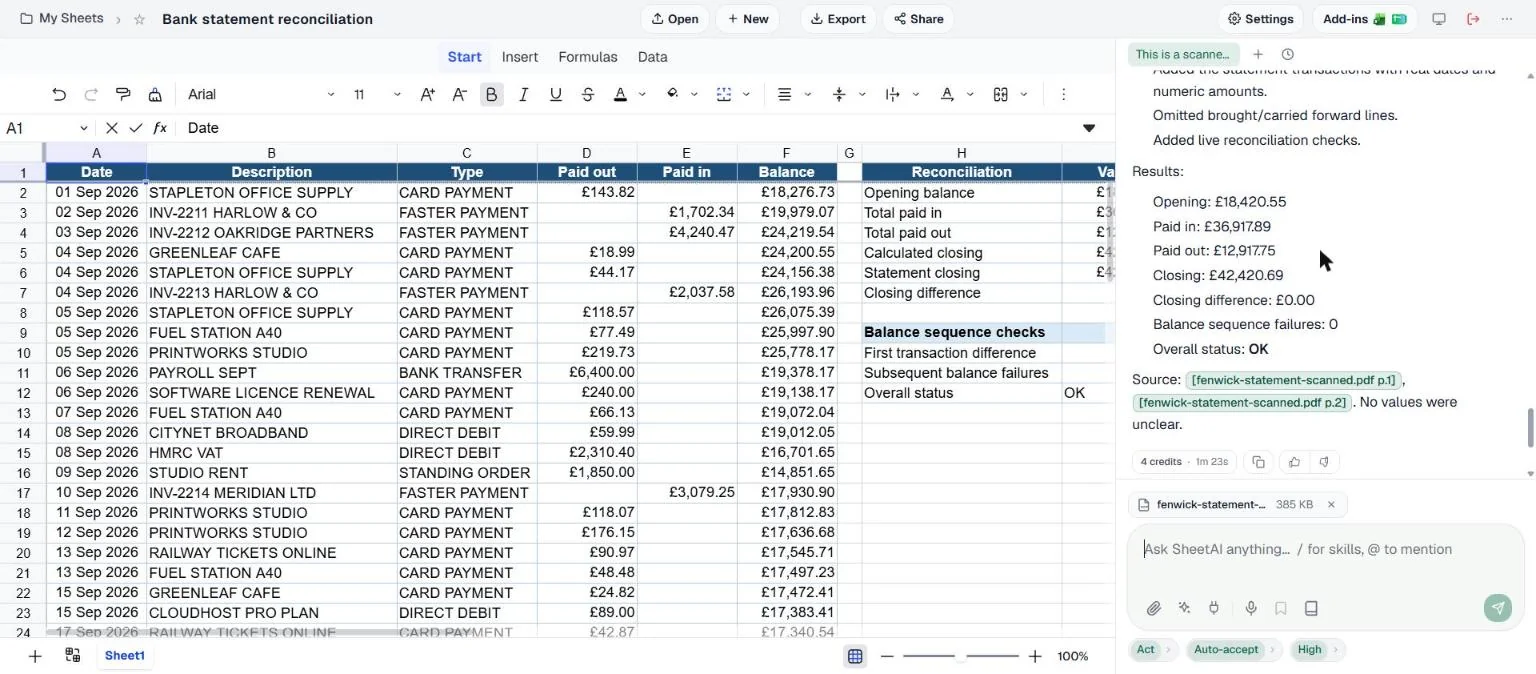
Same result, slightly different layout: the types came out in capitals and the reconciliation went beside the table rather than under it. The balance walk passed on all 37 rows, which is the strongest evidence you can get: if a single digit had been misread, the running balance would have broken at that row.
Invoices work the same way
We used a bank statement because it has built-in checks, but the same approach works on invoices, receipts and remittance advice. The difference is what you check against. An invoice has a subtotal, tax and total, so ask for line items in a table and a check that the lines add up to the subtotal and that subtotal plus tax equals the total. If you have a folder of invoices, attach them one at a time and ask for one row per invoice (supplier, invoice number, date, net, tax, gross) appended to the same table.
Prompts you can paste
| For | Prompt |
|---|---|
| Bank statement | Turn this statement into a table: Date, Description, Type, Paid out, Paid in, Balance. Real dates and numbers. Skip brought/carried forward lines. Add a reconciliation block and a balance check on every row. |
| Scanned statement | Same as above, then: tell me any value you couldn't read clearly. |
| Invoice | Put the line items in a table: Description, Quantity, Unit price, Line total. Add a check that the lines add up to the subtotal and that subtotal + tax = total. |
| Many invoices | Add one row for this invoice to the table: Supplier, Invoice number, Date, Net, Tax, Gross. Don't change the existing rows. |
| Review | Anything here I should query? Look for duplicate charges, odd amounts and anything that breaks the pattern. Point me at the rows. |
| Categorise | Add a Category column (rent, payroll, software, travel, supplies, tax, income) and a summary of money out by category. |
What we'd tell a colleague
For a statement downloaded from online banking, this is now a two-minute job instead of an hour, and the checks make it more reliable than retyping, because retyping has no checks at all. The scanned copy came out identical, without a single misread digit.
The habit worth keeping is the one in the middle: make it prove the table reconciles, in the sheet, as formulas. Then ask the human question that reconciliation can't answer. That's how we found the £89 double charge, and it's what turns a converted PDF into something you'd actually send to your accountant.
Convert your next statement
Open a blank sheet, attach the PDF, and paste the first prompt from the table above.
Open SheetAI